Electricity & Magnetism (TI-84 Plus CE) Part 1: Basic
Electricity & Magnetism (TI-84 Plus CE) Part 1: Basic
⚠️ Before You Buy:
• Digital product — No refunds
• Requires TI-84 Plus CE or TI-84 Plus CE Python
• NOT compatible with older TI-84 Plus (black & white screen)
• By purchasing, you confirm you understand this is a digital download and cannot be returned
Couldn't load pickup availability
Electricity & Magnetism Solver (TI-84 Plus CE) — Part 1: Basic
⚡ Solve electric fields, circuits, and core E&M problems faster
Stop wasting time rearranging formulas by hand. The EMBASICG program for TI-84 Plus CE covers the core foundations of electricity and magnetism directly on your calculator. Built for AP Physics 2, introductory college physics, and students who want a faster way to work through electric fields, circuits, and related E&M calculations — with built-in HELP sections explaining variables, units, and equation setup throughout.
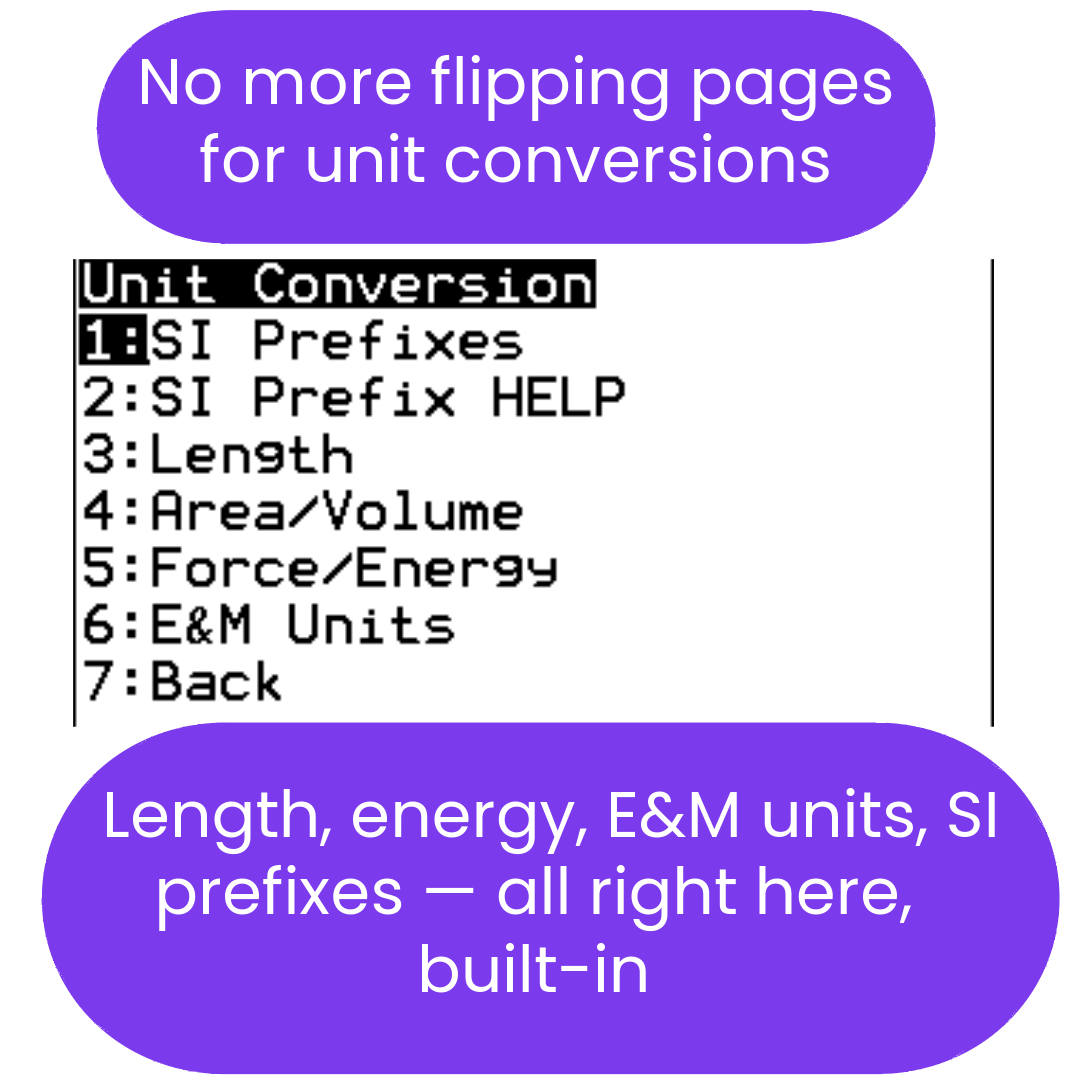
This basic E&M product also includes UNITCONJ, a general-purpose unit converter for pressure, length, mass, volume, speed, temperature, SI prefixes, rates, angles, and distance-rate-time support.
Before you buy: These are digital TI-84 Plus CE calculator programs. They are designed for the TI-84 Plus CE, TI-84 Plus CE Python, and TI-84 Plus CE-T Python Edition. They are not intended for TI-Nspire, Casio calculators, or older black-and-white TI-83/TI-84 models. Please confirm compatibility before purchasing.
💡 Best Value: Consider the Complete E&M Bundle
This Part 1 Basic program is included inside the complete Electricity & Magnetism Physics Bundle. The full bundle includes the programs from both the first-semester/basic E&M set and the second-semester/advanced E&M set.
If you think you may need both basic and advanced E&M support, the complete bundle is the better deal price-wise because it includes EMBASICG, EMADVJ, UNITCONJ, and WAVES5 together.
📘 View the Free E&M PDF User Guide
Want to see exactly how the complete E&M bundle is organized? The free PDF user guide includes screenshots, program descriptions, menu paths, a “which program for which problem” table, and tips for using the bundle effectively.
View / Download the Free E&M PDF Guide →📘 Included UNITCONJ Unit Converter Guide
This product includes UNITCONJ, a general-purpose unit converter for length, mass, area, volume, speed, temperature, pressure, SI prefixes, rates, angle conversions, distance-rate-time, and decimal-to-fraction conversion. A free PDF guide is available with screenshots, menu paths, solved examples, and quick-reference tables.
View the UNITCONJ PDF Guide →What's Included
| File Name | Type | What It Does |
|---|---|---|
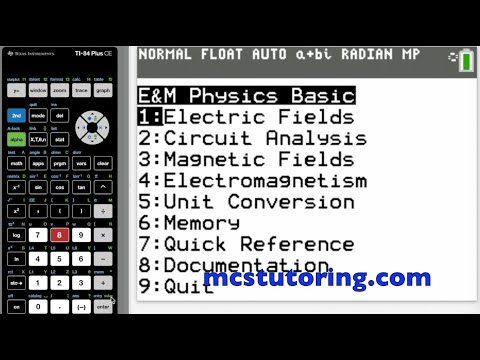
| EMBASICG | Core Solver Program | Coulomb's Law, electric field and potential, electric dipoles, Gauss's Law, Ohm's Law, power, series and parallel resistor networks (unlimited), Kirchhoff's Loop and Junction Rules, RC circuits (charging and discharging), Lorentz force on charges and wires, Biot-Savart and Ampere's Law, Faraday's Law, motional EMF, self-inductance, and LR circuit dynamics. Includes unit conversion library and memory utility for carrying results between modules. |
| UNITCONJ | Included Utility | General-purpose unit converter covering length, mass, area, volume, speed, temperature, pressure, time, angles, SI prefixes, flow rate, rate conversions, decimal-to-fraction conversion, and distance-rate-time support. View the free UNITCONJ PDF guide → |
✅ Core Topics Covered
- Electric Fields & Force: Coulomb's Law, electric field and potential, dipoles, Gauss's Law.
- Circuits: Ohm's Law, power, series and parallel networks, Kirchhoff's Rules, RC circuits.
- Magnetism: Lorentz force on charges and wires, Biot-Savart Law, Ampere's Law.
- Induction: Faraday's Law, motional EMF, self-inductance, LR circuit dynamics.
- Support Utility: unit conversion and result memory support through UNITCONJ.
Best for: Students taking AP Physics 2 or introductory college E&M who want faster equation setup, fewer algebra mistakes, and a reliable way to check their work.
Need advanced E&M coverage?
The E&M Physics Bundle includes both EMBASICG and EMADVJ — adding AC circuits, RLC analysis, capacitor/inductor geometry, wave optics, Maxwell's Equations, unit conversions, and waves/light tools. It includes the programs from both the first-semester/basic and second-semester/advanced E&M bundles, making it the better deal if you may need the full set.
View E&M Physics Bundle →Compatible Calculators
✅ TI-84 Plus CE
✅ TI-84 Plus CE Python
✅ TI-84 Plus CE-T Python Edition
✖ Not for TI-83, TI-Nspire, or Casio calculators.
Exam Use
TI-84 Plus CE calculators and programs are permitted on AP Physics 2 and AP Physics C exams. See Full Policy →
Delivery: Instant digital download. You receive the included .8xp calculator program files and available PDF user guides after purchase.
Need help getting started? Complete Install Guide (2026) | E&M PDF Guide | UNITCONJ Guide | All PDF Guides | FAQs
AP® is a registered trademark of the College Board, which was not involved in the production of, and does not endorse, this product.
What do I need to install the program?
What do I need to install the program?
- TI84 Plus CE (or Python) Calculator
- TI Connect CE Software
- Update Your TI calculator software
- USB mini to USB cord (Should have came with your calculator, or you can buy one from Staples or Best Buy)
How do I install the program on my calculator?
How do I install the program on my calculator?
Can you help me with the TI connect software?
Can you help me with the TI connect software?
Yes! Take a look at this guide for the TI Connect CE Software for more help.