
AP & General Chemistry TI-84 Program User Guide
AP & General Chemistry TI-84 Program User Guide
A free student guide for using the AP & General Chemistry Bundle on the TI-84 Plus CE and TI-84 Plus CE Python.
View or Download the Free PDF Guide
Preview the included programs, calculator screenshots, topic router, example problem walkthroughs, and menu paths before using or purchasing the chemistry bundle.
Download the PDF Guide → View the Chemistry BundleCompatibility: These programs are designed for the TI-84 Plus CE and TI-84 Plus CE Python. They are not intended for TI-Nspire, Casio calculators, or older black-and-white TI-83/TI-84 models.
Read the Guide Online
You can view the guide below or use the download button if you prefer a printable or offline copy. On some phones, the PDF viewer may be easier to use if you open the guide in a new tab.
Open or Download the PDF Guide
What’s Inside the Guide?
Topic Router
Not sure which program to open? The guide includes a topic router that points students toward the right tool for stoichiometry, kinetics, equilibrium, acids/bases, thermodynamics, gas laws, VSEPR, spectroscopy, and unit conversions.
TI SmartView Screenshots
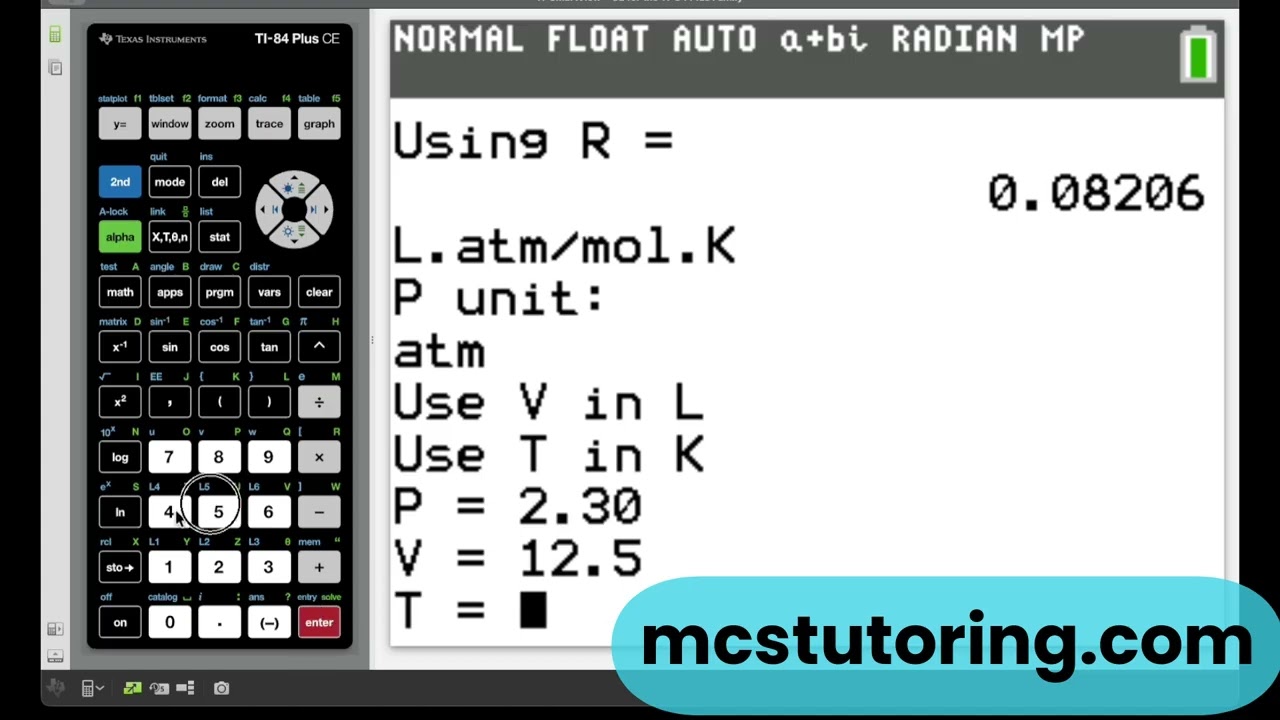
Calculator screenshots show real TI-84 Plus CE menus, prompts, and result screens so students can see what the programs look like before using them.
Example Walkthroughs
The guide includes walkthroughs for ideal gas law, weak acid pH, buffer pH, Hess’s Law, vapor pressure, and equilibrium constant problems.
Menu Path Reference
A quick reference table helps students find the right program and menu path for common chemistry problem types.
Programs Covered in the Guide
The guide covers the solver programs, reference tools, and bonus tools included with the AP & General Chemistry Bundle.
| Program | What It Helps With |
|---|---|
| KEM1V6 | Stoichiometry, moles, molarity, empirical formulas, solutions, colligative properties, and first-semester chemistry topics. |
| KEM2V2C | Kinetics, equilibrium, electrochemistry, nuclear chemistry, Clausius-Clapeyron, and second-semester/AP Chemistry topics. |
| ACIDBAS2 | pH, pOH, Ka/Kb, weak acids and bases, buffers, titrations, salt hydrolysis, and polyprotic acids. |
| THERMO6 | Calorimetry, phase changes, Hess’s Law, Gibbs Free Energy, equilibrium constants, and thermodynamics. |
| GASLAWSA | Ideal Gas Law, combined gas laws, Boyle’s Law, Charles’s Law, Gay-Lussac’s Law, Avogadro’s Law, Dalton’s Law, and RMS velocity. |
| HABERX2 | Reaction enthalpy, heat from mass, mass from heat, Haber process calculations, and general ΔH stoichiometry. |
| BALANCE1 | Balanced equation examples, reaction patterns, activity series, solubility rules, and redox reference help. |
| PERIOD5 | Bonus periodic table reference with element data, molar mass, electron configurations, periodic trends, and oxidation states. |
| VSEPR1 | Bonus molecular geometry reference for electron geometry, molecular geometry, bond angles, hybridization, and polarity clues. |
| WAVES4 | Bonus waves and spectroscopy tool for wavelength, frequency, photon energy, visible light, and emission lines. |
| UNITCONJ | Bonus unit converter for pressure, temperature, mass, length, SI prefixes, rates, and other common science conversions. |
Why the Bonus Tools Are Included
Chemistry students often need more than equation solvers. Tools like PERIOD5, VSEPR1, WAVES4, and UNITCONJ help with molar mass, electron configuration, molecular geometry, spectroscopy, photon energy, and unit conversions before or during chemistry calculations.
Watch the Bundle Used on a Real AP Chemistry FRQ
This walkthrough uses the AP & General Chemistry Bundle with official 2025 AP Chemistry Free Response Questions. It shows how the programs can support calculation setup while still requiring students to understand the chemistry.
Getting Started
1. Try a Free Program First
If you are new to TI-84 programs, start with the Free Starter Bundle to confirm that you can download and transfer files successfully.
2. Install the Programs
Use TI Connect CE to transfer .8xp program files from your computer to your calculator.
3. Manage Calculator Memory
If your calculator is low on RAM, move programs to Archive memory instead of deleting them.
Helpful Links
- AP & General Chemistry Bundle Product Page
- Download the Chemistry User Guide PDF
- 2025 AP Chemistry FRQ Walkthrough Video
- Complete Setup Guide
- How to Install and Troubleshoot TI-84 Programs — Video
- Memory Management: Free Up RAM by Moving Programs to Archive
- AP Exam Programs Legal Guide
- TI Connect CE and Software Updates
- Free TI-84 Starter Bundle
- All TI-84 Program Collections
Important Exam Note
TI-84 Plus CE programs are allowed on the AP Chemistry exam under current calculator policies, but students should always follow the rules given by their teacher, school, testing site, or exam proctor. These programs support calculation setup, formula access, and review. They do not replace understanding the chemistry.
Digital product reminder: Because these are digital downloads, please make sure your calculator is compatible before purchasing. If you are unsure, try the Free Starter Bundle first.
Ready to Explore the Full Chemistry Bundle?
View the AP & General Chemistry Bundle to see the included program files, compatibility notes, and download details.
View the Chemistry Bundle → Download the GuideAP® is a trademark of the College Board, which does not endorse this product.