
TI-84 Plus CE Unit Converter Program: Complete Program Guide
TI-84 Plus CE Unit Converter Program
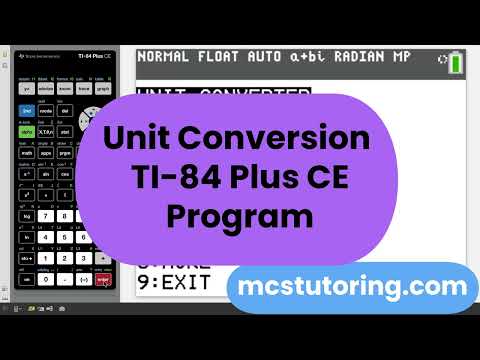
UNITCONJ is the all-purpose unit conversion program for the TI-84 Plus CE. It covers more than a dozen conversion categories — from everyday length and mass conversions to specialized tools like SI prefix scaling, any-to-any pressure conversion, exact radian-to-degree output, flow rate, and distance-rate-time solving. Whether you're working through AP Chemistry, AP Physics, the SAT, or a general STEM course, UNITCONJ keeps you moving without leaving the calculator workflow.
Most-included program in the catalog. UNITCONJ ships as a support component in 13 products — more than any other single file. It is built to be a reusable utility that works alongside chemistry solvers, physics solvers, SAT math tools, and mega-bundles. If you already own one of those bundles, you have this program. If not, it is available as a standalone purchase.

What the Program Covers
Length
Three organized submenus handle SI metric, Imperial, and cross-system length conversions. Every pair runs in both directions.
km ↔ m
cm ↔ m
yd ↔ mi
in ↔ yd
mi ↔ km
m ↔ ft
in ↔ cm
Mass / Weight
Covers both metric and Imperial mass, with cross-system pairs for the conversions that come up most often in chemistry and everyday problem sets.
g ↔ kg
mg ↔ g
kg ↔ oz
kg ↔ lb
g ↔ oz
lb ↔ oz
Area
Handles the squared-unit conversions that students consistently get wrong when applying dimensional analysis by hand.
m² ↔ ft²
cm² ↔ in²
acres ↔ mi²
yd² ↔ mi²
Volume
Covers the volume pairs used most in chemistry lab work and physics problems, including the cm³ = mL identity that trips up first-year chemistry students.
L ↔ mL
cm³ ↔ L
cm³ ↔ in³
ft³ ↔ m³
Speed / Velocity
Includes both speed and acceleration unit conversions, covering the SI-to-Imperial and metric-to-everyday pairs that show up in AP Physics kinematics and SAT word problems.
m/s ↔ ft/s
m/s² ↔ ft/s²
m/s ↔ mph
km/h ↔ mph
mph ↔ ft/s
Temperature
All six temperature conversion directions are included — not just the two most common ones. The program displays the formula used before prompting for input, so students can see the relationship rather than just getting a number.
°C → °F
°F → °C
°C → K
K → °C
°F → K
K → °F
SI Prefixes
This is one of the deeper sections in the program and has three modes.
Quick Convert handles the most common adjacent-prefix steps — milli to base, micro to milli, nano to micro, kilo to base, mega to kilo, giga to mega, and all the reverse directions. These are the conversions students do repeatedly in chemistry and physics without always being confident in the direction of the exponent.
Custom Convert lets you pick any "from" prefix and any "to" prefix and enter a value. The program computes the exponent difference and returns the result instantly. The full prefix range spans from atto (10⁻¹⁸) through tera (10¹²) — twelve levels in total — giving you any-to-any prefix conversion in two menu selections.
Reference Chart displays a scrollable on-screen reference listing all twelve prefixes with their symbols and powers of ten, from tera down to atto.
tera (T) 10¹²
giga (G) 10⁹
mega (M) 10⁶
kilo (k) 10³
base 10⁰
milli (m) 10⁻³
micro (µ) 10⁻⁶
nano (n) 10⁻⁹
pico (p) 10⁻¹²
femto (f) 10⁻¹⁵
atto (a) 10⁻¹⁸
Pressure
The pressure converter uses a matrix-style design: you pick your starting unit from one menu, then pick your target unit from a second menu, enter the value, and the program handles the conversion. Every unit pair is reachable from a single input — no nested menus per pair. Seven pressure units are supported, giving 42 possible conversion directions from a single tool.
atm
Pa
kPa
mmHg
torr
psi
bar
This is especially useful in AP Chemistry and AP Physics 2 where students frequently switch between atm, kPa, mmHg, and Pa depending on which gas-law formula they're using.
Angle Conversion
Three conversion modes, each solving a different problem students face when working with angles on a calculator.
Degrees to radians (decimal) takes any degree value and returns the radian equivalent as a decimal.
Degrees to radians (exact form) is the smarter version: it uses
gcd() to reduce the fraction automatically and displays the result in N/D · π form. Enter 135° and you see 3/4 π rad. Enter 270° and you see 3/2 π rad. The fraction is fully reduced before display.
Radians to degrees exact works in reverse for angles already expressed as Nπ/D. Enter N and D separately, and the program returns the exact degree value — also reduced using
gcd(). So 3π/4 returns 135, and 5π/6 returns 150.Help screens walk through each mode with worked examples so students understand the process, not just the output.
deg → rad (decimal)
deg → rad (exact N/D·π)
Nπ/D → deg (exact)
rad → deg (decimal)
Time
The time section covers the conversions used most often in rate problems, dimensional analysis, and unit analysis on the SAT and ACT.
min ↔ sec
hr ↔ min
hr ↔ sec
day → hr
Flow Rate
Handles the flow-rate conversions that come up in chemistry lab problems, fluid dynamics questions, and AP Physics 2 work involving fluid flow.
L/hr ↔ mL/min
L/min ↔ mL/s
Rate Conversions
This section is specifically designed for the rate-unit problems that appear on the SAT and ACT — the ones that ask you to convert "copies per minute" to "copies per hour" or "widgets per hour" to "widgets per second." The program covers all six directions across seconds, minutes, and hours, and includes a dedicated help section.
per min ↔ per hr
per sec ↔ per min
per sec ↔ per hr
The help section includes quick conversion rules (multiply vs. divide), a memory-aid explanation of why the direction works, and three worked SAT-style example problems with answers.
Decimal to Fraction
Enter any decimal and the program converts it to a reduced fraction using the calculator's built-in
▶Frac function. For repeating decimals, entering approximately 11 digits of the repeating block is enough for the calculator to recognize the pattern and return the exact fraction. For example, entering .33333333333 returns 1/3.Distance · Rate · Time
A straightforward three-mode solver for the d = rt relationship. Enter any two known values and the program returns the third. The output reminds you that the result uses whatever units you entered, making it unit-agnostic and flexible across problem types.
Find Distance
Find Rate
Find Time
Who This Program Is For
AP Chemistry students will use this most heavily for pressure conversions (atm, Pa, kPa, mmHg, torr), SI prefix scaling (nano to micro, milli to base, etc.), mass conversions (g, kg, mg), volume (L, mL, cm³), and temperature (°C to K and back). These conversions come up constantly in gas law problems, thermodynamics, and stoichiometry.
AP Physics students will rely on the speed/acceleration converters (m/s to ft/s, m/s to mph), the angle section for switching between degrees and exact radian form, and the SI prefix tools for scaling quantities between standard and non-standard units.
SAT and ACT students benefit from the rate conversion section (per min to per hr, etc.) and the distance-rate-time solver — both of which map directly to common question types. The decimal-to-fraction tool also comes up when checking answers in no-calculator or mixed-format sections.
General STEM students get a fast, organized on-calculator reference that removes the need to memorize conversion factors or reach for a phone mid-problem.
Included in these bundles:
Algebra Solver, AP & General Chemistry Complete Bundle, Chemistry Solver — Semester 1, Chemistry Solver — Semester 2, AP Physics 1 Mechanics Solver Bundle, AP Physics Ultimate Bundle, AP Science Mega Bundle, AP STEM Mega Bundle, EM Advanced, EM Physics Bundle, EM Basic, SAT Math
Algebra Solver, AP & General Chemistry Complete Bundle, Chemistry Solver — Semester 1, Chemistry Solver — Semester 2, AP Physics 1 Mechanics Solver Bundle, AP Physics Ultimate Bundle, AP Science Mega Bundle, AP STEM Mega Bundle, EM Advanced, EM Physics Bundle, EM Basic, SAT Math
Note on AP exam use: UNITCONJ is a conversion utility — it contains no symbolic algebra solvers and no automated equation solving. It is a straightforward look-up and arithmetic tool, fully consistent with College Board and ACT calculator policies for approved graphing calculators. Always verify current exam policies for your specific test.