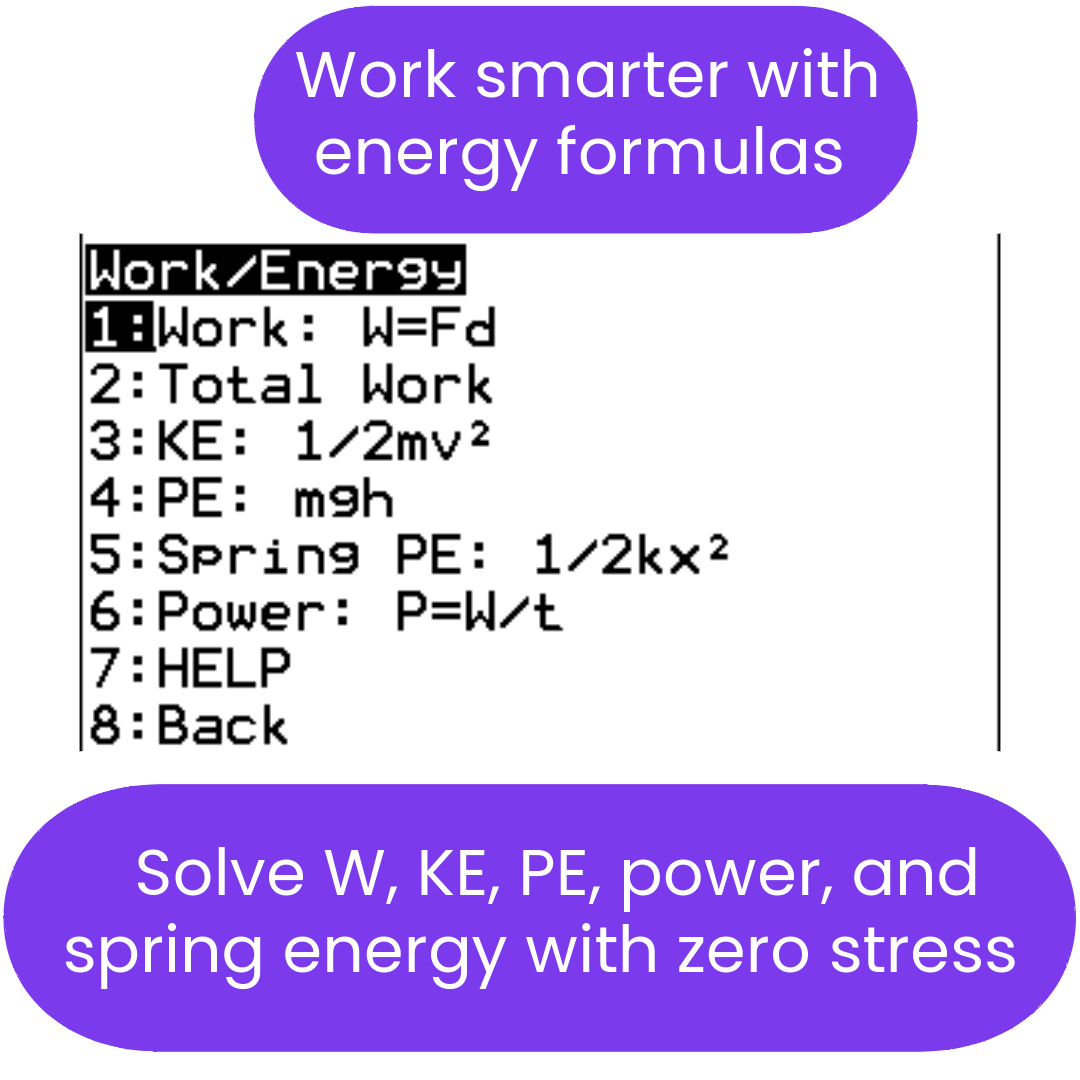
AP Physics 1 Mechanics Bundle (TI-84 Plus CE) | Units 1–8
AP Physics 1 Mechanics Bundle (TI-84 Plus CE) | Units 1–8
⚠️ Before You Buy:
• Digital product — No refunds
• Requires TI-84 Plus CE or TI-84 Plus CE Python
• NOT compatible with older TI-84 Plus (black & white screen)
• By purchasing, you confirm you understand this is a digital download and cannot be returned
Couldn't load pickup availability
Physics Mechanics TI-84 Plus CE: AP Physics 1
🚀 12 Programs, One Launcher: Kinematics Through Rotation, Oscillations, and Fluids
Stop fighting the algebra and start mastering the physics. This TI-84 Plus CE Physics Mechanics bundle helps students work through AP Physics 1 and intro physics problems by solving for missing variables and showing the formula used on every result screen.
Everything starts from PHYSMECH, a launcher that opens every program in the bundle from two menus. When students exit a program, they return to the launcher. The bundle includes five solvers (MECH1, MECH2, CIRMOT, THERMPHY, WAVES), three concept help programs (MEC1HELP, MEC2HELP, CIRHELP), and three tools (UNITCON unit converter, VECTOR vector math, and PERIOD periodic table).
Before you buy: These are digital TI-84 Plus CE calculator programs. They are designed for the TI-84 Plus CE, TI-84 Plus CE Python, and TI-84 Plus CE-T Python Edition. They are not intended for TI-Nspire, Casio calculators, or older black-and-white TI-83/TI-84 models. Please confirm compatibility before purchasing.
Why students use this bundle:
- ✅ One launcher (PHYSMECH) opens all 11 programs and brings students back to it when they exit.
- ✅ Solves for missing variables in common AP Physics 1 and intro physics formulas.
- ✅ Shows the formula on every result screen, so students see which equation was used.
- ✅ Covers AP Physics 1 from kinematics and dynamics through rotation, oscillations, orbits, and fluids.
- ✅ Three concept help programs (MEC1HELP, MEC2HELP, CIRHELP) with explanations, worked examples, and common mistakes, right on the calculator.
- ✅ Handles tricky cases: shows both roots for time in kinematics, finds the direction of motion in pulley and incline systems, and warns when a string goes slack or an object won't complete a loop.
- ✅ Includes thermophysics (THERMPHY) and waves and light (WAVES) solvers.
- ✅ Includes UNITCON, VECTOR, and PERIOD tools for unit conversions, vector math, and element lookups.
- ✅ Designed for TI-84 Plus CE, TI-84 Plus CE Python, and TI-84 Plus CE-T Python Edition calculators.
📘 Free Physics Mechanics User Guide
Want to see how the programs work before buying? The free PDF user guide for this bundle includes screenshots, menu paths, example inputs and outputs, common mistakes, clickable links, a product-page QR code, and a topic router that helps students choose the right program for each problem type.
🎓 Concept Help Programs Included
This bundle includes three concept help programs: MEC1HELP, MEC2HELP, and CIRHELP. They run directly on the TI-84 Plus CE and give concept explanations, worked examples, and common-mistake guidance for the topics covered by MECH1, MECH2, and CIRMOT. Each topic tells students exactly which solver menu to use next.
- MEC1HELP: kinematics, projectile motion, Newton's laws, forces and free body diagrams, friction, connected systems (Atwood machine, ramp and hanging mass, two-incline system, pulley tension, chain systems, force vectors), energy and work, momentum, and gravitation.
- MEC2HELP: springs and SHM, pendulums, orbits, and fluids, each with an intro, a worked example, and common mistakes.
- CIRHELP: centripetal force, vertical circles, banked roads, rotation concepts, torque, moment of inertia and angular momentum, flat curve friction, tabletop hanger, and conical pendulum.
Want to try them first? The three help programs are also available as a free download.
Get the Free Help Programs →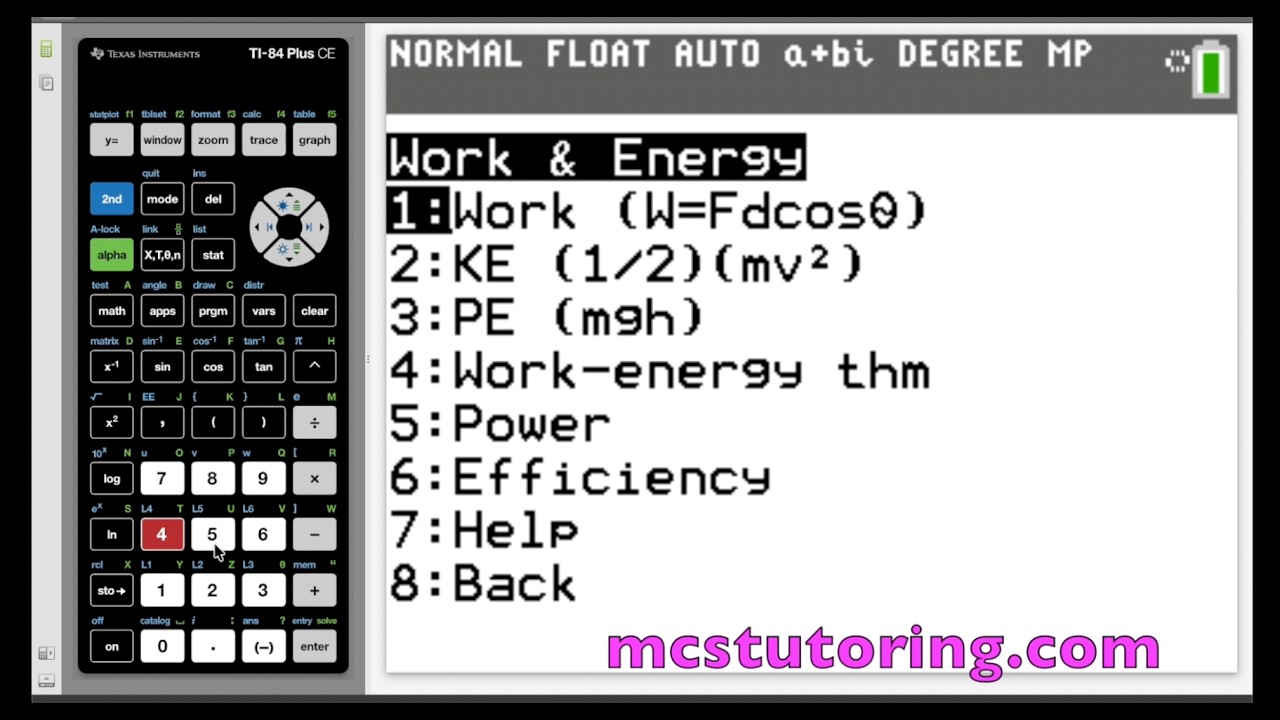
What's Included (Files & Functions)
| File Name | Best For | Key Capabilities |
|---|---|---|
| PHYSMECH | Launcher (Start Here) | Main menu opens Mechanics 1, Mechanics 2, Circular & Rotation, Thermophysics, Waves & Light, Unit Converter, and Vectors. The More menu opens the three concept help programs, the Periodic Table, and a Program List screen that names every program in the bundle. Exiting any program returns students to the launcher. |
| MECH1 | Core Mechanics |
Kinematics: all four constant-acceleration equations, solving for v, v0, a, t, s, or s0. The time solver handles the quadratic, shows both roots, and flags negative or repeated times. Projectile motion (level ground and elevated launch): range, max height, time of flight, velocity at time t, position at time t, and impact velocity with angle. Dynamics: F = ma, weight (W = mg), normal force (horizontal, incline, and vertical with an added force), friction (static, kinetic, coefficient, "will it move?" test, and stopping distance), tension (single rope, Atwood machine, ramp-pulley with friction, and two-incline system with friction on each side; finds the direction of motion or reports that friction holds the system), inclined planes (parallel and perpendicular force components, acceleration with and without friction, and the force needed to pull up or push down a ramp), and gravitation (F = GMm/r² and g = GM/r²). Work and energy: work (W = Fd cos θ, plus work by gravity on a ramp), kinetic energy, potential energy, work-energy theorem, power (P = W/t and P = Fv), efficiency (work or power, as a decimal and percent), and energy conservation (with and without friction, and max height). Momentum: p = mv, impulse (J = Ft), impulse-momentum theorem (J, average force, time), general collisions, elastic collisions (both final velocities), perfectly inelastic collisions, and explosions. |
| MECH2 | Oscillations, Orbits & Fluids | Springs (Hooke's Law, elastic PE, period, frequency, angular frequency, total energy, max velocity, velocity at position x, position at velocity v), pendulums (period, frequency, angular frequency, length, PE, max KE, velocity at the bottom, height from angle), orbits (orbital velocity and period, orbital energy, escape velocity, gravitational PE, Kepler's Third Law with orbit comparison, and g = GM/r²), and fluids (density, pressure, hydrostatic pressure, gauge pressure, buoyant force, float condition, apparent weight, continuity, flow rate, Bernoulli's equation solving for any pressure, speed, or height, and Torricelli's Law). |
| CIRMOT | Circular Motion & Rotation | Circular motion (Fc = mv²/r, period, frequency, angular velocity, and frequency or radius from centripetal acceleration), vertical circles (tension at top and bottom with a slack-string warning, minimum speed), loop-the-loop (minimum speeds and energy method with a won't-complete warning), banked roads (ideal speed, max and min speed with friction), flat curve friction (will it make the turn, max speed, min radius, minimum coefficient), tabletop hanger, conical pendulum (iterative angle solver), and rotation (torque, rotational kinematics, moment of inertia for six common shapes, angular momentum, conservation, rotational collisions, rolling motion, and rotational energy). |
| THERMPHY | Thermophysics | First Law of Thermodynamics (solve for ΔU, Q, or W), thermodynamic processes (isothermal, isobaric, isochoric, adiabatic for monatomic, diatomic, or custom Cv), mechanical work (W = Fd, piston-radius solver), PV work (constant pressure, vertical lines, sloped lines, rectangular and triangular cycles, net area), heat engines (efficiency, work output, heat input, heat rejected), Carnot efficiency, refrigerator and heat pump COP, heat conduction (H = kAΔT/L), and thermal radiation (emitted power and net radiation using the Stefan-Boltzmann Law). Built-in concept help includes worked examples and PV diagram explanations. |
| WAVES | Waves & Light | Wavelength, frequency, wave speed (including v = c/n), photon energy (single photon and per mole), energy from wavelength, color identification from wavelength, element emission lines (hydrogen, helium, mercury, sodium, magnesium), unknown analysis from energy, unit conversions (m, nm, Å, J, kJ/mol, eV, Hz, THz), memory store and recall, and built-in constants and formula references. |
| MEC1HELP MEC2HELP CIRHELP |
Concept Help | Concept explanations, worked examples, and common mistakes paired with MECH1, MECH2, and CIRMOT. No solving; each topic points students to the right solver menu. |
| UNITCON | Unit Conversions | Length (SI, imperial, and SI-imperial), mass/weight, area, volume, speed and acceleration, temperature (C, F, K), SI prefixes (quick convert, custom tera-to-atto converter, reference chart), flow rate, rate conversions with SAT/ACT examples, angle (degrees to radians including exact fraction-of-π form), time, pressure (atm, Pa, kPa, mmHg, torr, psi, bar), decimal-to-fraction, and distance-rate-time. |
| VECTOR | Vector Math | 2D and 3D components (magnitude and angle to components and back, with polar and azimuth angles in 3D), vector addition and subtraction with resultant magnitude and direction, dot product with the angle between vectors, cross product (2D z-component with into/out-of-page direction, full 3D vector with magnitude), unit vectors, zero-vector handling, and built-in concept help. |
| PERIOD | Periodic Table | All 118 elements by period or atomic number search, with lanthanide and actinide menus. Each element shows atomic number, molar mass, group, family, electron configuration (both Aufbau and n-value order where they differ), common oxidation states, and type. Includes periodic trends with exceptions (atomic radius, ionic radius, ionization energy, electronegativity, electron affinity, metallic character) and key-value tables for ionization energy and electronegativity. |
📌 Which program for which problem?
Start with PHYSMECH and pick the topic. The free user guide includes screenshots, menu paths, example inputs and outputs, common mistakes, and a "Which Program for Which Problem?" table.
- PHYSMECH: launcher for every program in the bundle.
- MECH1: kinematics, projectile motion, dynamics, work and energy, and momentum.
- MECH2: springs, pendulums, orbits, and fluids.
- CIRMOT: circular motion, vertical circles, banked and flat curves, tabletop hanger, conical pendulum, and rotational dynamics.
- THERMPHY: First Law, thermodynamic processes, PV work, heat engines, Carnot/COP, heat conduction, and thermal radiation.
- WAVES: wavelength, frequency, wave speed, photon energy, and spectroscopy.
- MEC1HELP, MEC2HELP, CIRHELP: concept help before or after solving.
- UNITCON: unit conversions and SI prefixes before entering values into solvers.
- VECTOR: combine forces or other vectors before applying F = ma.
- PERIOD: element data and periodic trends.
Compatible Calculators
✅ TI-84 Plus CE
✅ TI-84 Plus CE Python
✅ TI-84 Plus CE-T Python Edition
✖ Not for TI-83, TI-84 Plus Silver Edition, TI-Nspire, Casio, or older black-and-white TI-84 models.
AP Exam Legality
TI-84 Plus CE calculators and calculator programs are allowed on the AP Physics 1 exam. Always follow your teacher's and testing site's instructions. See Full Policy →
Delivery: Instant digital download. You receive the included .8xp calculator program files and the PDF user guide after purchase.
📦 Installing multiple programs? This bundle includes 12 programs, and PHYSMECH needs all of them on your calculator to launch them. If RAM is getting tight, Archive (ARC) memory lets you store programs without deleting them, and run them directly from the archive. Watch the quick guide →
Need more than just Mechanics?
Get broader AP Physics coverage, including Electricity & Magnetism, with the AP Physics Ultimate Bundle.
View AP Physics Ultimate Bundle →Need help getting started? Complete Setup Guide | Free Physics Mechanics User Guide | Free Concept Help Programs | Free TI-84 Starter Bundle | All PDF Guides | FAQs
AP® is a registered trademark of the College Board, which was not involved in the production of, and does not endorse, this product.
What do I need to install the program?
What do I need to install the program?
- TI84 Plus CE (or Python) Calculator
- TI Connect CE Software
- Update Your TI calculator software
- USB mini to USB cord (Should have came with your calculator, or you can buy one from Staples or Best Buy)
How do I install the program on my calculator?
How do I install the program on my calculator?
Can you help me with the TI connect software?
Can you help me with the TI connect software?
Yes! Take a look at this guide for the TI Connect CE Software for more help.