Skip to product information
1 of 3

Periodic Table TI-84 Plus CE Program - All 118 Elements

Periodic Table TI-84 Plus CE Program - All 118 Elements

Regular price $10.00 USD
Regular price $20.00 USD Sale price $10.00 USD
Sale Sold out
Shipping calculated at checkout.

⚠️ Before You Buy:
• Digital product — No refunds
• Requires TI-84 Plus CE or TI-84 Plus CE Python
NOT compatible with older TI-84 Plus (black & white screen)
• By purchasing, you confirm you understand this is a digital download and cannot be returned

Quantity

Access Every Element Instantly—Right on Your TI-84 Plus CE

Remember scrambling through reference sheets during a chemistry test, trying to find molar masses or electron configurations? Those days are over.

The Periodic Table program puts all 118 elements at your fingertips. No internet required. No phone needed. Just reliable element data exactly when you need it.


See It In Action

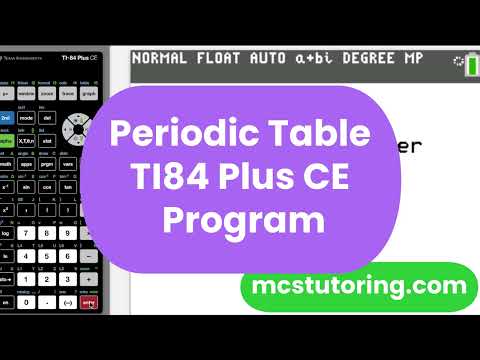
Watch this quick demo to see how fast and easy it is to access any element's complete information.


Why Chemistry Students Love This Program

✓ Complete Element Database

Every element from Hydrogen (Z=1) to Oganesson (Z=118) includes:

  • Atomic number
  • Molar mass (g/mol)
  • IUPAC group number
  • Element family
  • Complete electron configuration
  • All oxidation states
  • Element type (metal, nonmetal, metalloid)

✓ Multiple Search Methods

Find elements your way:

  • Browse by period (Period 1 through Period 7)
  • Jump directly to any element by atomic number (1-118)
  • Navigate through lanthanides and actinides separately

✓ Works Where It Matters Most

Your phone isn't allowed during chemistry exams or lab practicals. Your TI-84 Plus CE is. This program is completely legal for use on tests, quizzes, and standardized exams.

✓ Saves Time on Every Problem

No more:

  • Flipping through reference sheets mid-calculation
  • Squinting at periodic table posters across the room
  • Memorizing molar masses you'll forget by test day
  • Making transcription errors from reference materials

✓ Accurate & Comprehensive

Every value is verified and formatted for clarity. The electron configurations use proper noble gas notation, and all oxidation states are listed for elements with multiple common values.


Perfect For:

  • High School Chemistry Students tackling stoichiometry, gas laws, and equilibrium
  • AP Chemistry Students preparing for the exam and working through college-level problems
  • College General Chemistry students managing homework and lab reports
  • Any chemistry student who wants reliable element data during exams

What You Get:

1 Program File

  • PERIODIC.8xp (optimized for TI-84 Plus CE)
  • Transfer instructions included
  • Immediate download after purchase

Complete Element Coverage

  • All 118 recognized elements
  • Organized by period with logical navigation
  • Clean, easy-to-read display screens

Lifetime Access

  • One-time purchase
  • Keep it on your calculator permanently
  • Free updates if we ever enhance the database

How It Works:

  1. Download the program file after purchase
  2. Transfer to your TI-84 Plus CE using TI-Connect CE software
  3. Run from your calculator's PRGM menu
  4. Search for any element by period or atomic number
  5. View complete element information instantly

It's that simple. No complicated setup, no subscriptions, just instant access to the periodic table whenever you need it.


Included in These Bundles (Save Money!):

This program is also included in:

  • Complete Chemistry Solver Bundle - Save when you get our full chemistry suite
  • AP Chemistry Essentials Bundle - Everything for AP Chemistry success

Already bought a bundle? You already have this program!


Technical Details:

Calculator Compatibility:

  • ✅ TI-84 Plus CE
  • ✅ TI-84 Plus CE Python
  • ❌ NOT compatible with older TI-84 Plus (black & white screen)

Program Size: ~35KB
Installation: Transfer via USB using TI-Connect CE software (free download from TI website)
Memory Required: Minimal - leaves plenty of room for other programs


Frequently Asked Questions:

Q: Is this legal for use on tests?

A: Yes! Calculator programs are allowed on most chemistry tests, including AP Chemistry. Check your specific teacher's policy, but programs like this are generally permitted.

Q: How is this different from TI's built-in Periodic Table app?

A: TI's app is a paid application that requires special installation. Our program is a simple BASIC file you can transfer directly. It's also specifically designed for quick element lookups during problem-solving rather than graphical exploration.

Q: Do I need internet to use this?

A: No! Once it's on your calculator, it works completely offline.

Q: Will this work on my old TI-84 Plus with the black and white screen?

A: No, this program is optimized for the TI-84 Plus CE color screen. It will not work properly on older models.

Q: What if I accidentally delete it?

A: Keep the download file on your computer and you can re-transfer it anytime. Your purchase gives you lifetime access to download it again if needed.

Q: Does this include electronegativity values?

A: Currently this version includes atomic number, molar mass, group, family, electron configuration, oxidation states, and element type. Electronegativity and other properties may be added in future versions.


⚠️ Important Purchase Information:

  • Digital Product - No refunds after download
  • Requires TI-84 Plus CE or TI-84 Plus CE Python
  • NOT compatible with TI-84 Plus (black & white screen)
  • By purchasing, you confirm you understand this is a digital download and cannot be returned

Stop Wasting Time. Start Working Smarter.

For less than the cost of a study guide, you get instant access to every element's data whenever you need it. No more lost time searching through reference materials. No more transcription errors. Just fast, accurate information at your fingertips.

Add to cart now and have complete periodic table access on your next chemistry assignment.

What do I need to install the program?

  1. TI84 Plus CE (or Python) Calculator
  2. TI Connect CE Software (Download Here)
  3. Update Your TI calculator software (Click Here)
  4. USB mini to USB cord (Should have came with your calculator, or you can buy one from Staples or Best Buy)

How do I install the program on my calculator?

Can you help me with the TI connect software?

Yes! Take a look at this guide for more help.

View full details