Balanced Equations Reference Program for TI-84 Plus CE
Balanced Equations Reference Program for TI-84 Plus CE
⚠️ Before You Buy:
• Digital product — No refunds
• Requires TI-84 Plus CE or TI-84 Plus CE Python
• NOT compatible with older TI-84 Plus (black & white screen)
• By purchasing, you confirm you understand this is a digital download and cannot be returned
Couldn't load pickup availability
Balanced Equations Reference Program for the TI-84 Plus CE
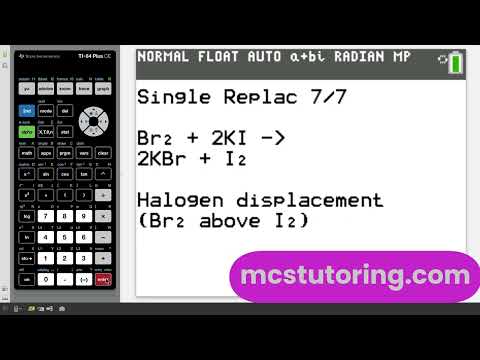
If you're taking general chemistry, honors chemistry, AP® Chemistry, or intro college chemistry, this program gives you a faster way to review common reaction types, balanced equations, and product patterns directly on your calculator.
Instead of flipping through notes or trying to recall every pattern from memory, you can use this program to study the most important categories of chemical reactions in one organized, easy-to-navigate reference.
What this program includes
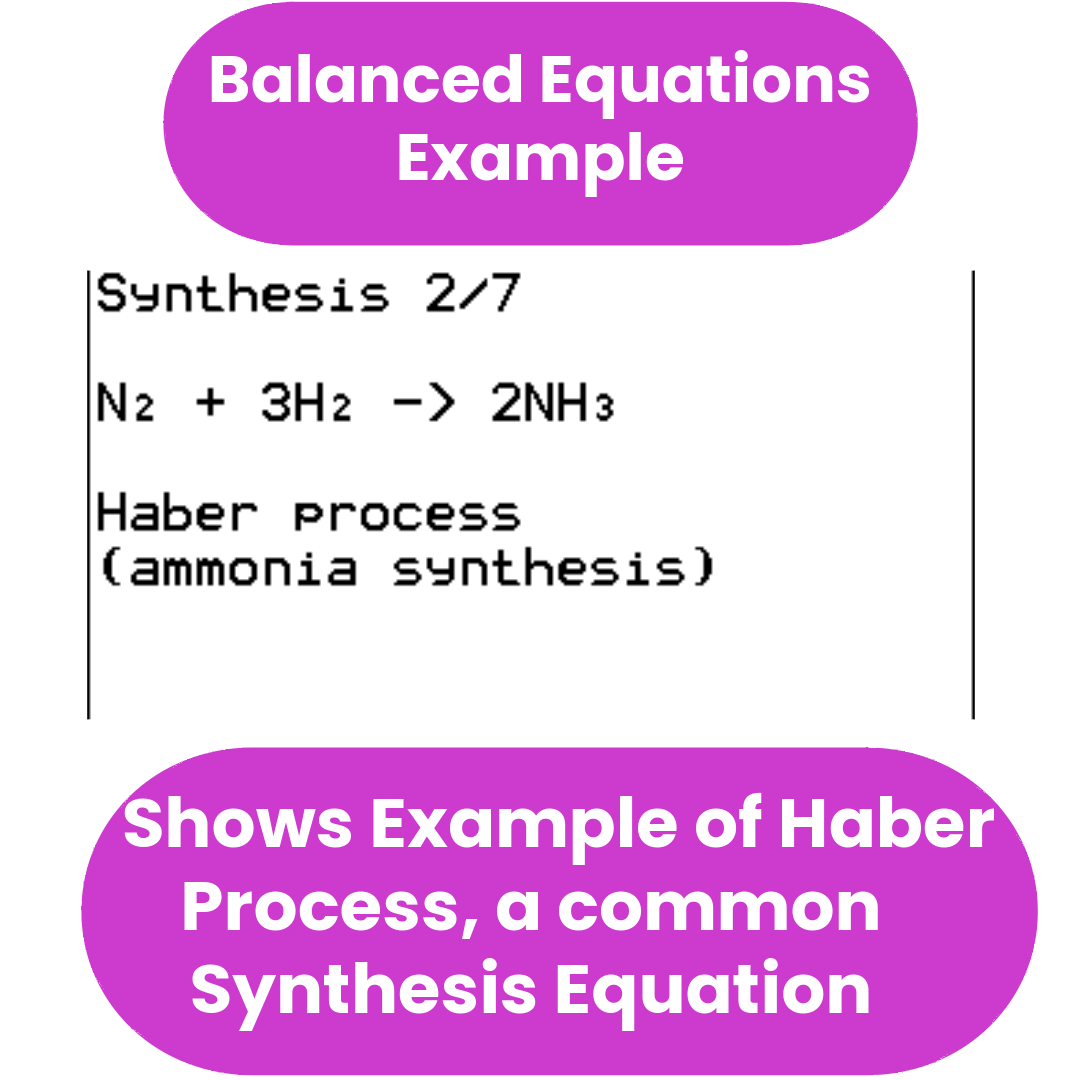
- Synthesis reactions (7 examples)
- Decomposition reactions (7 examples)
- Single replacement reactions (7 examples)
- Double replacement reactions (8 examples)
- Combustion reactions (8 examples)
- Redox reactions — acidic and basic medium (7 examples, shown as half-reactions and combined)
- Help screens for each major section
- Activity series reference
- Solubility rules reference
- Start Here section and How To Use guide
What this program is for
This program is designed to help you:
- recognize common reaction types faster
- review balanced examples without leaving your desk
- predict likely products more confidently
- study more efficiently for quizzes, tests, and exams
- keep key chemistry patterns at your fingertips during study sessions
Important clarification
This program does not function as a universal automatic equation balancer. It will not balance an equation you type in.
It is a study and reference tool built to help you review common balanced equations, identify reaction patterns, and strengthen your understanding of introductory chemistry — before, during, and after your unit on reactions.
Best for
- General Chemistry students
- Honors Chemistry students
- AP® Chemistry students
- Intro college chemistry students
Program file
File name: BALANCE1
File type: .8xp (TI-84 Plus CE program file)
Also available in bundles
This program is included in the following bundles — a better value if you need programs across multiple subjects:
Before you buy
INSTANT DOWNLOAD: Digital .8xp calculator program file for the TI-84 Plus CE.
COMPATIBILITY: Works with the TI-84 Plus CE and TI-84 Plus CE Python.
NOT COMPATIBLE: TI-84 Plus (non-CE), TI-83 series, or TI-Nspire models.
NOTE: This program does not automatically balance equations you enter. It is a reference and study tool.
Need help choosing a program? See the AP & General Chemistry Bundle User Guide for a full topic-by-topic breakdown.
AP® is a trademark registered by the College Board, which is not affiliated with, and does not endorse, this product.
What do I need to install the program?
What do I need to install the program?
- TI84 Plus CE (or Python) Calculator
- TI Connect CE Software
- Update Your TI calculator software
- USB mini to USB cord (Should have came with your calculator, or you can buy one from Staples or Best Buy)
How do I install the program on my calculator?
How do I install the program on my calculator?
Can you help me with the TI connect software?
Can you help me with the TI connect software?
Yes! Take a look at this guide for the TI Connect CE Software for more help.