AP Calculus BC Series Program (TI-84 Plus CE)
AP Calculus BC Series Program (TI-84 Plus CE)
⚠️ Before You Buy:
• Digital product — No refunds
• Requires TI-84 Plus CE or TI-84 Plus CE Python
• NOT compatible with older TI-84 Plus (black & white screen)
• By purchasing, you confirm you understand this is a digital download and cannot be returned
Couldn't load pickup availability
AP Calculus BC Series Pro (TI-84 Plus CE)
📘 Convergence Tests, Taylor Series & the GPART Strategy — Inside Your Calculator
*This is included in the AP Calculus BC Bundle*
Stop guessing which convergence test to use. SERIES Pro gives you a systematic approach to series problems — a complete convergence test library, the exclusive GPART strategy for choosing the right test, Taylor and Maclaurin series references, and Lagrange error bound guidance. Everything BC students need for series, all in one program.
Watch the SERIES Pro Intro (2:49)
Why students use SERIES Pro:
- ✅ The GPART system tells you which convergence test to try first — no more trial and error.
- ✅ Every major convergence test covered with conditions and worked examples.
- ✅ Standard Taylor and Maclaurin series, radius and interval of convergence, Lagrange error bound.
- ✅ Reference-only — designed to use alongside your work on the AP exam.
What's Included (Files & Functions)
| File Name | Type | What It Does |
|---|---|---|
| SERIES8 | Reference Program | Convergence test library with the exclusive GPART strategy, Taylor and Maclaurin series expansions, radius and interval of convergence, and Lagrange error bound. Every test includes "when to use," decision criteria, and worked examples. |
🎯 The GPART Priority System
Never waste time on the wrong test again. GPART walks you through the strategic decision order for any series problem:
- Geometric — check for a constant ratio first
- P-series — identify 1/n^p patterns
- Alternating — look for (−1)^n terms
- Ratio Test — ideal for factorials and exponentials
- Tests — Root, Comparison (Direct & Limit), and Integral Test for complex cases
What's Covered
- Convergence Tests: Ratio, Root, Geometric, p-Series, Alternating Series (with error bounds), Direct Comparison, Limit Comparison, Integral Test
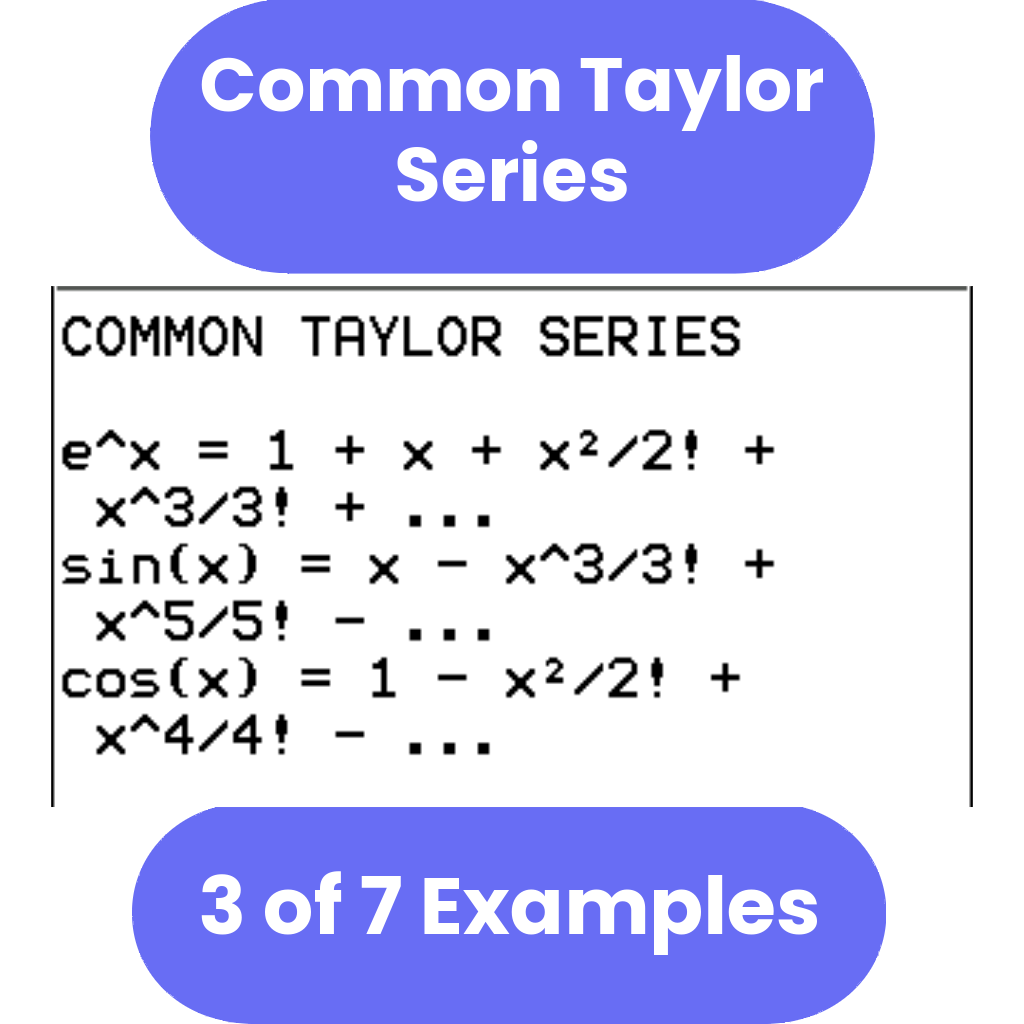
- Taylor & Maclaurin Series: standard expansions for e^x, sin(x), cos(x), ln(1+x), and others
- Convergence: radius and interval of convergence, endpoint testing
- Error Analysis: Lagrange error bound formula and examples
Reference-only content
SERIES Pro displays convergence test criteria, strategy guides, and series formulas. It does not perform symbolic algebra or automatically determine convergence for a given series — it gives you the framework to work through problems correctly yourself.
Compatible Calculators
✅ TI-84 Plus CE
✅ TI-84 Plus CE Python
✖ Not for TI-83, TI-84 Plus Silver Edition, TI-89, Nspire, or Casio calculators.
Delivery
Instant digital download. You receive the .8xp file after purchase.
Want the full AP Calculus BC toolkit?
SERIES Pro is included in the AP Calculus BC Bundle, which adds six more programs covering derivatives, integrals, trig identities, parametric and polar calculus, and sequences and series.
View AP Calculus BC Bundle →Who This Is For
- AP Calculus BC students preparing for the May exam
- College Calculus II students working through series and sequences
- Anyone who struggles with picking the right convergence test
- BC exam review and homework help
Need Help?
Related Programs: AP Calculus BC Bundle | AP Calculus AB Bundle | Sequences & Series
AP® is a registered trademark of the College Board, which was not involved in the production of, and does not endorse, this product.
What do I need to install the program?
What do I need to install the program?
- TI84 Plus CE (or Python) Calculator
- TI Connect CE Software
- Update Your TI calculator software
- USB mini to USB cord (Should have came with your calculator, or you can buy one from Staples or Best Buy)
How do I install the program on my calculator?
How do I install the program on my calculator?
Can you help me with the TI connect software?
Can you help me with the TI connect software?
Yes! Take a look at this guide for the TI Connect CE Software for more help.