SAT Math Calculator Program (TI-84 Plus CE)
SAT Math Calculator Program (TI-84 Plus CE)
⚠️ Before You Buy:
• Digital product — No refunds
• Requires TI-84 Plus CE or TI-84 Plus CE Python
• NOT compatible with older TI-84 Plus (black & white screen)
• By purchasing, you confirm you understand this is a digital download and cannot be returned
Couldn't load pickup availability
SAT Math Calculator Bundle (TI-84 Plus CE)
✅ SAT Math Practice, Geometry, Triangle & Unit Conversion Tools for the TI-84 Plus CE
A focused TI-84 Plus CE toolkit for SAT Math preparation. This bundle includes SATSAFE, GEOFIG8, TRISOLV3, and UNITCONJ to help students practice SAT-style math, check calculations, work with geometry and triangle problems, and handle common unit conversions. The programs are designed to support problem setup, formula use, and numerical calculation while students continue building the math reasoning needed for the SAT.
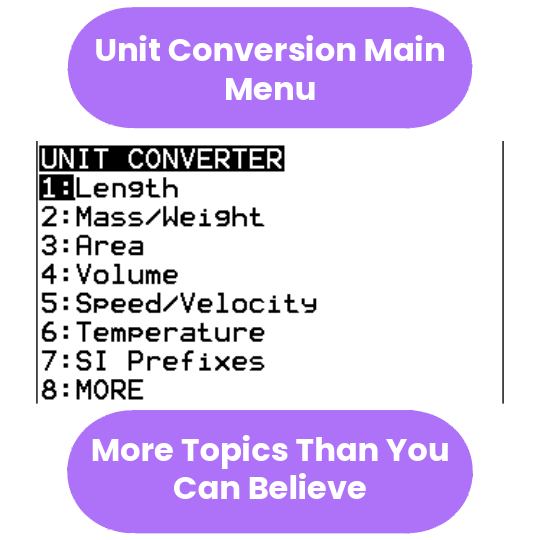
The included UNITCONJ Unit Converter helps with common SAT-style unit conversions, rate problems, angle conversions, decimal-to-fraction checks, and distance-rate-time problems.
Before you buy: These are digital TI-84 Plus CE calculator programs. They are designed for the TI-84 Plus CE, TI-84 Plus CE Python, and TI-84 Plus CE-T Python Edition. They are not intended for TI-Nspire, Casio calculators, TI-84 EVO, or older black-and-white TI-83/TI-84 models. Please confirm compatibility before purchasing.
📘 Free SAT Math TI-84 User Guides
```Want to see how the programs work before buying? The free SAT Math user guide shows the included files, SmartView screenshots, menu paths, example screens, and a “which program should I use?” reference table for SAT Math practice.
There is also a separate SATSAFE Quick Guide for students who want a shorter, focused guide to the main SATSAFE program included in this bundle.
```📘 Included UNITCONJ Unit Converter Guide
This bundle includes UNITCONJ, a general-purpose unit converter for length, mass, area, volume, speed, temperature, pressure, SI prefixes, rates, angle conversions, distance-rate-time, and decimal-to-fraction conversion. A free PDF guide is available with screenshots, menu paths, solved examples, and quick-reference tables.
View the UNITCONJ PDF Guide →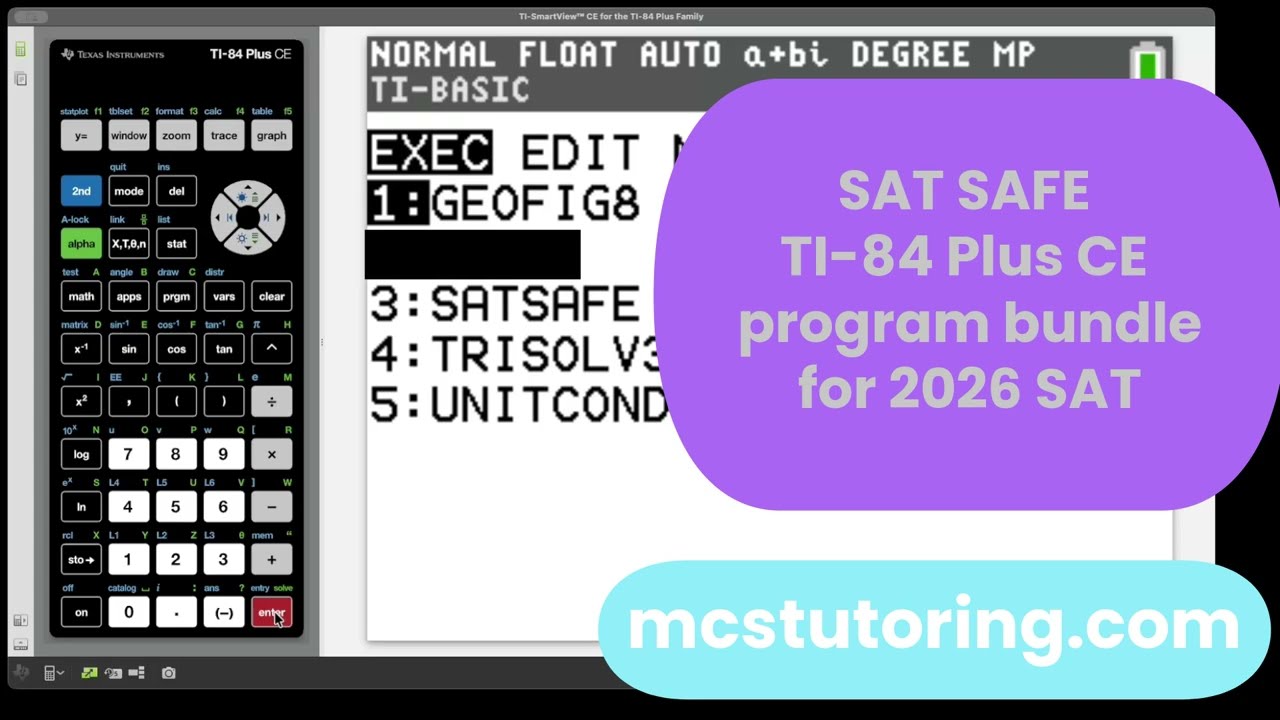
What's Included
| File Name | Type | What It Does |
|---|---|---|
| SATSAFE | SAT Math Practice Program | Main SAT Math support program for SAT-style algebra practice, coefficient-based systems, linear equations, quadratics, circles, percents, statistics, exponential functions, and deradicalization-style tools. Designed to avoid symbolic algebra/CAS-style functionality. View the SATSAFE Quick Guide → |
| GEOFIG8 | Geometry Calculator | 2D and 3D geometry calculator for area, perimeter, surface area, volume, circles, sectors, polygons, prisms, cylinders, cones, spheres, pyramids, and related geometry calculations. |
| TRISOLV3 | Triangle Tools / Reference | Triangle tools for right triangles, missing angles, trigonometric ratios, similar triangles, 30-60-90 triangles, 45-45-90 triangles, triangle area, perimeter, equilateral triangles, and triangle concept support. |
| UNITCONJ | Unit Converter | General-purpose unit converter for length, mass, area, volume, speed, temperature, SI prefixes, rates, angles, time, pressure, decimals to fractions, and distance-rate-time problems. View the free UNITCONJ PDF guide → |
Important SAT Calculator Policy Note
Calculator rules can change, and students should always follow the latest College Board calculator policy and the instructions given by their test center. This bundle is designed to support SAT Math practice, numerical calculation, geometry review, triangle work, and unit conversion. Before test day, students should review the current official calculator rules and make sure their calculator setup follows those rules.
How this bundle helps:
- ✅ Practice SAT-style math with calculator-supported tools
- ✅ Reduce arithmetic mistakes on multi-step problems
- ✅ Review formulas and relationships faster
- ✅ Handle geometry, triangle, and unit conversion questions more confidently
- ✅ Use your TI-84 Plus CE as a stronger SAT Math study tool
- ✅ Follow menu paths and examples in the free SAT PDF user guide
- ✅ Use the SATSAFE Quick Guide for a shorter student-friendly walkthrough of the main SATSAFE program
- ✅ Use the UNITCONJ PDF guide for unit conversions, rates, SI prefixes, and distance-rate-time support
What kinds of SAT Math topics does it support?
| SAT Math Topic | Helpful Program |
|---|---|
| Systems of equations and coefficient-based system calculations | SATSAFE |
| Linear equations, slope, intercepts, and coordinate geometry | SATSAFE |
| Quadratics, parabolas, intercepts, and maximum/minimum values | SATSAFE |
| Circles, radius/diameter relationships, circumference, and area | SATSAFE |
| Percents, percent change, and common word-problem calculations | SATSAFE |
| Mean, median, range, standard deviation, and basic statistics | SATSAFE |
| Exponential growth, function values, and growth/decay interpretation | SATSAFE |
| 2D and 3D geometry | GEOFIG8 |
| Right triangles, special triangles, trig ratios, and triangle relationships | TRISOLV3 |
| Unit conversions, rate problems, and decimal-to-fraction support | UNITCONJ — View guide → |
Compatible Calculators
✅ TI-84 Plus CE
✅ TI-84 Plus CE Python
✅ TI-84 Plus CE-T Python Edition
✖ Not for TI-83, TI-Nspire, TI-84 EVO, Casio calculators, or older black-and-white TI-84 models.
Delivery
Instant digital download. You receive all four .8xp files after purchase: SATSAFE, GEOFIG8, TRISOLV3, and UNITCONJ, plus available PDF user guides.
Best way to use this bundle
Use the programs while practicing SAT Math questions so you can check calculations, recognize formulas faster, and build confidence with common problem types. The strongest results come when students use the calculator tools alongside strong math reasoning, not as a replacement for understanding the problem.
Want a step-by-step guide?
The free SAT Math TI-84 User Guide shows the included programs, SmartView screenshots, example screens, menu paths, and a quick topic router. The shorter SATSAFE Quick Guide focuses specifically on the main SATSAFE program.
Taking AP exams next?
Once the SAT is behind you, keep your TI-84 working hard with our full suite of AP Physics, Chemistry, and Calculus solvers built for AP exam season practice and review.
Shop AP Programs →Need help getting started? Complete Install Guide (2026) | SAT Bundle Guide | SATSAFE Quick Guide | UNITCONJ Guide | All PDF Guides | Troubleshooting | FAQs
SAT® and AP® are registered trademarks of the College Board, which was not involved in the production of, and does not endorse, this product. Calculator rules may change; students should always follow the latest official calculator policy and test-center instructions.
What do I need to install the program?
What do I need to install the program?
- TI84 Plus CE (or Python) Calculator
- TI Connect CE Software
- Update Your TI calculator software
- USB mini to USB cord (Should have came with your calculator, or you can buy one from Staples or Best Buy)
How do I install the program on my calculator?
How do I install the program on my calculator?
Can you help me with the TI connect software?
Can you help me with the TI connect software?
Yes! Take a look at this guide for the TI Connect CE Software for more help.